

API Keys
Create API keys and understand the difference between public and private keys.
An API key authenticates your requests to the Tuix Email Service. You create and manage keys in the Tuix dashboard under API Keys.
Create an API key
In the dashboard, open your profile at the bottom of the sidebar and choose API Keys from the menu.
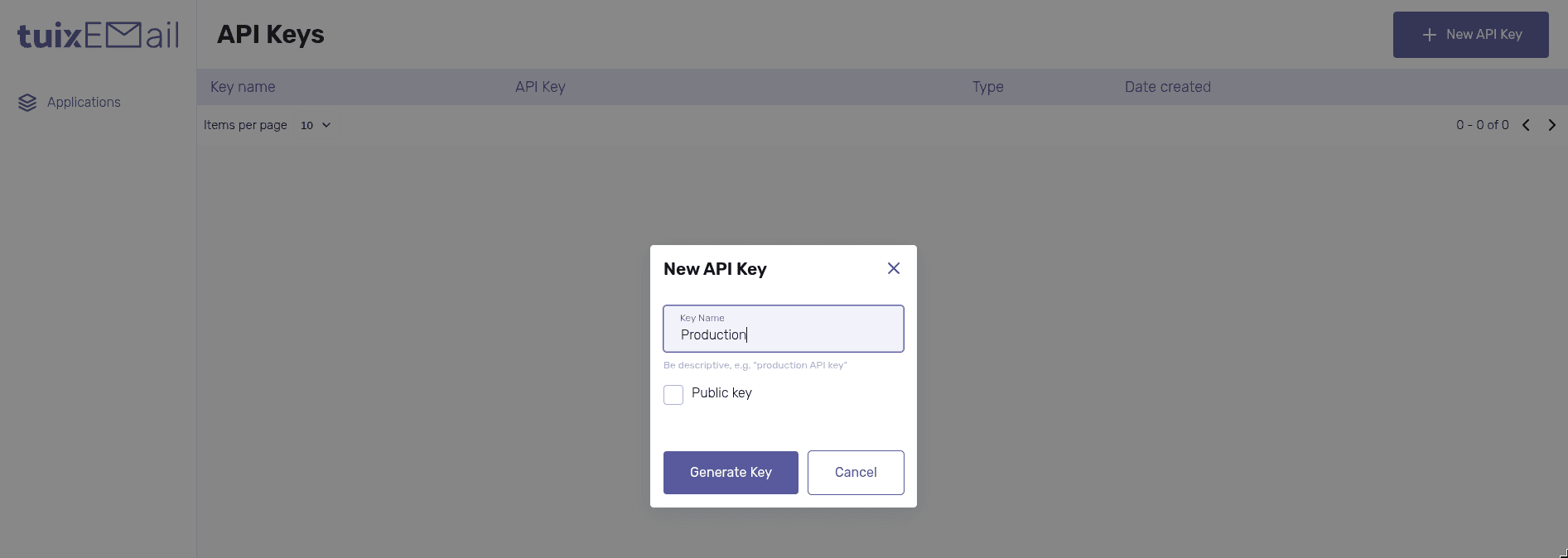
Choose the type: check Public key for a public key, or leave it unchecked for a private key.
The key is shown only once. After you close the dialog you cannot see it again. Copy it immediately and store it securely.
Public or private?
When creating a key, the Public key checkbox decides whether it is public or private. The table shows the type as Public or Private.
| Type | Use | Access | Exposable |
|---|---|---|---|
| Public | directly in the frontend | limited, not all /api endpoints | Yes |
| Private | server-side only | all API methods | No |
A public key can be used in the browser and exposed, but it cannot reach every endpoint.
A private key has full access and must never reach the browser or client bundles. Use it server-side only.