

Create an application
Create an application in the Tuix dashboard with SMTP configuration.
An application groups your email templates and the SMTP credentials used to send. Before sending emails, create an application in the Tuix dashboard.
Create an application
In the dashboard, open Applications and click Add new app.
Enter a Name and, optionally, a Description.
Under SMTP Configuration, fill in your email provider's credentials (see below).
Save the form. The new application appears in the table with its Application ID.
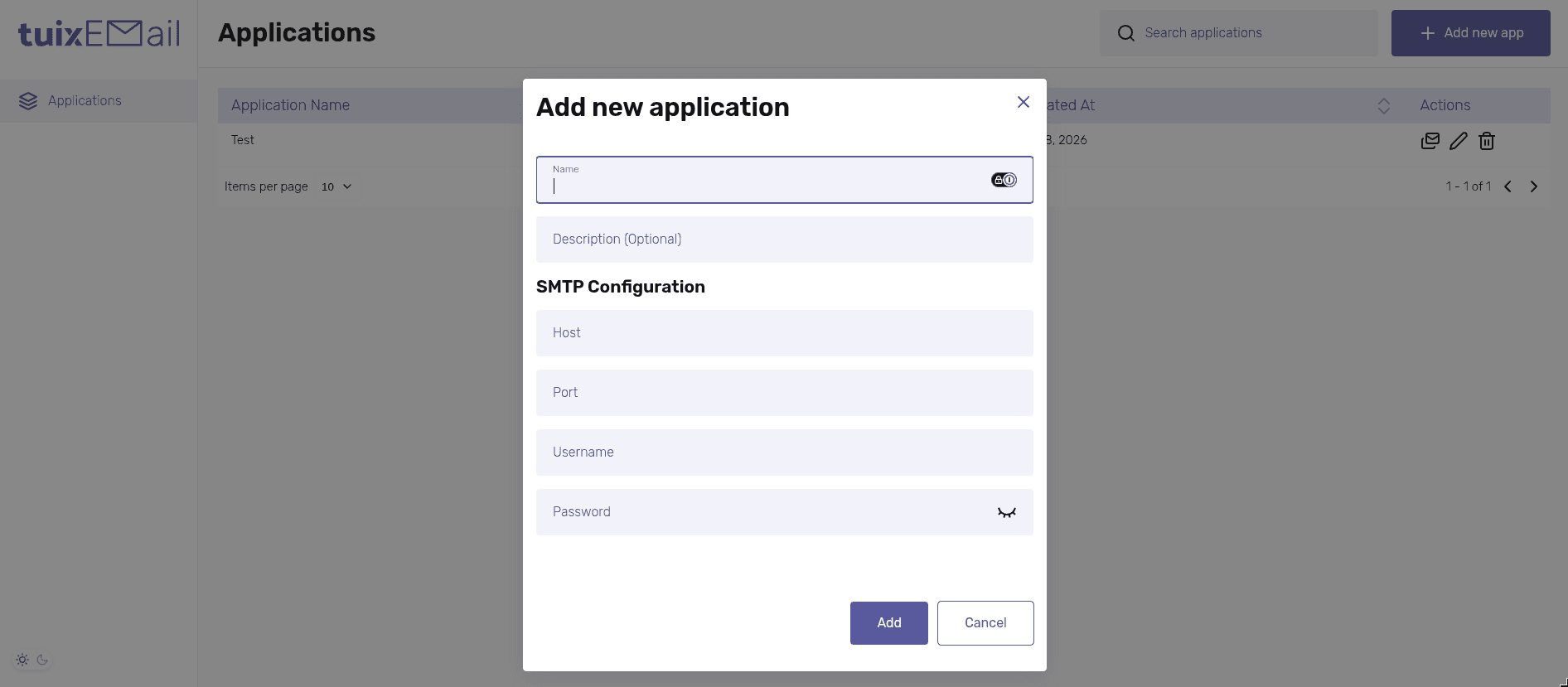
SMTP configuration
The Tuix Email Service sends through your own SMTP server. These fields are required:
| Field | Description |
|---|---|
Host | SMTP server address, e.g. smtp.example.com. |
Port | SMTP port, e.g. 587 or 465. |
Username | Username for the SMTP account. |
Password | Password for the SMTP account. |
You get the SMTP credentials from your email provider. Name and description are up to you.